Systemize helps you keep all the information related to a Job in Activities, Forms, or uploaded as Files. Scans of drawings, photos of before and after, signed contacts, all can be located in one place.
Once attached, Files can be grouped by a File Field such as File Type, by Phase, or remain ungrouped.
Common file formats include documents, spreadsheets, scanned items or image files saved as PDFs, BMP, GIF, JPEG, PNG, TIFF, and CAD files.
Files can only be renamed at upload.
Description, File Type and Phase can be changed at upload, or any time after by clicking on the File Name.
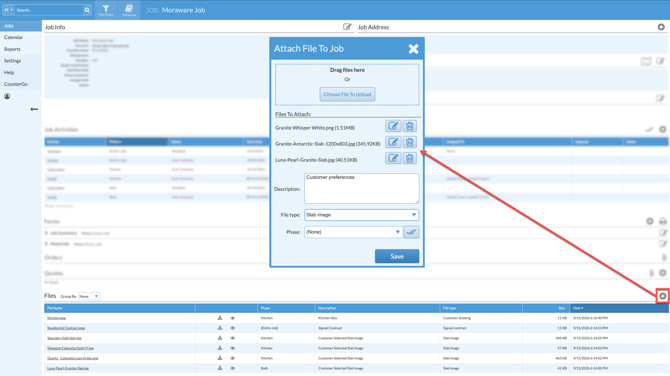
- In the Job Details page of any Job, scroll to the bottom and click the Add icon across from Files.
- Drag and drop files, or click Choose File To Upload to navigate to where the files are saved in your computer or cloud.
- Rename or delete files using the buttons next to the File Name.
- Add a Description > Select a File Type and Phase if needed > Save.