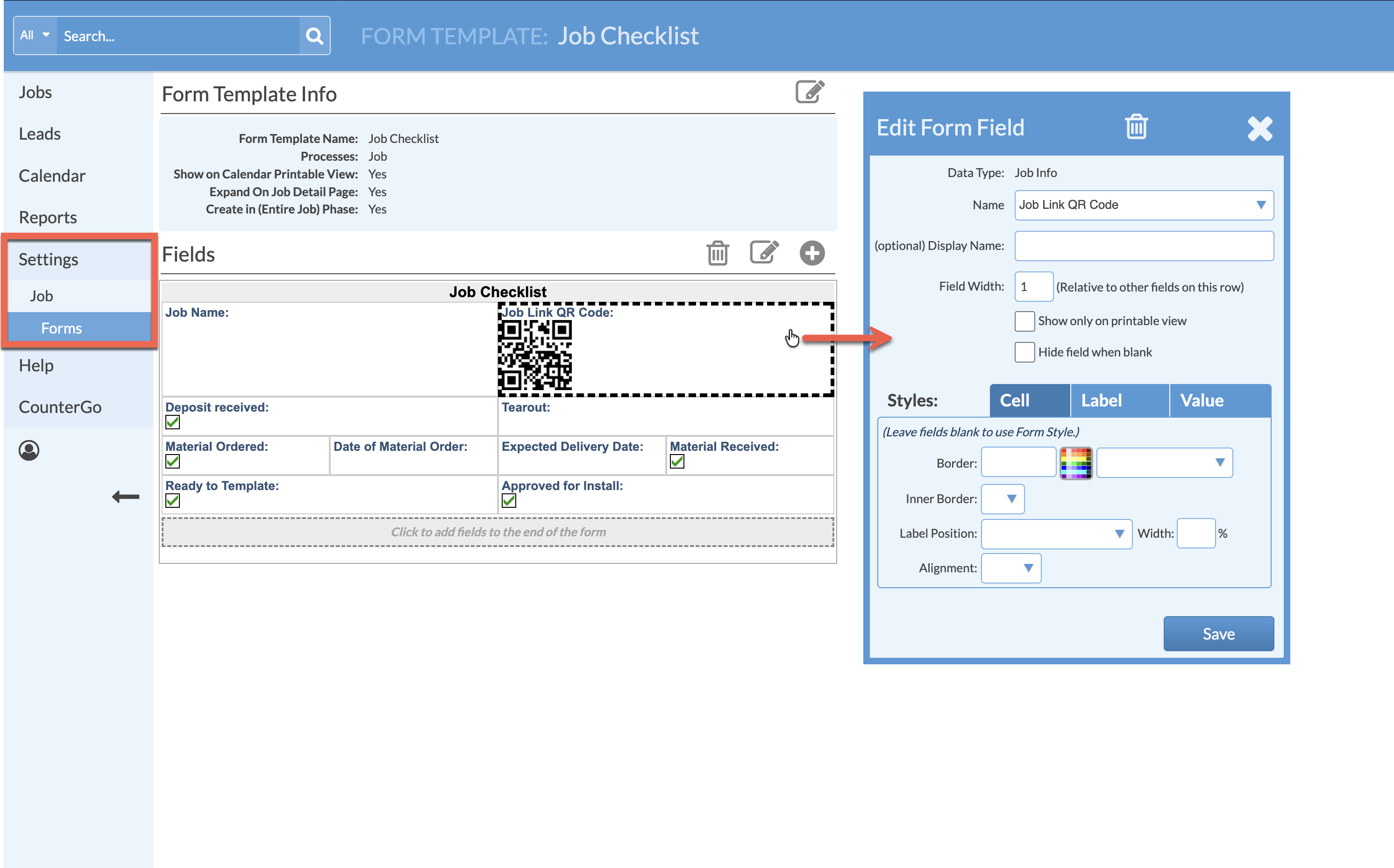
Do you send your teams out with printed packets? Add the Job Link QR Code Field to a Job Form so they can quickly scan and login to see the full Job when away from a computer.
Once the Field is added to the Job Form, a unique QR code will be created for each Job where the Form is used.
-
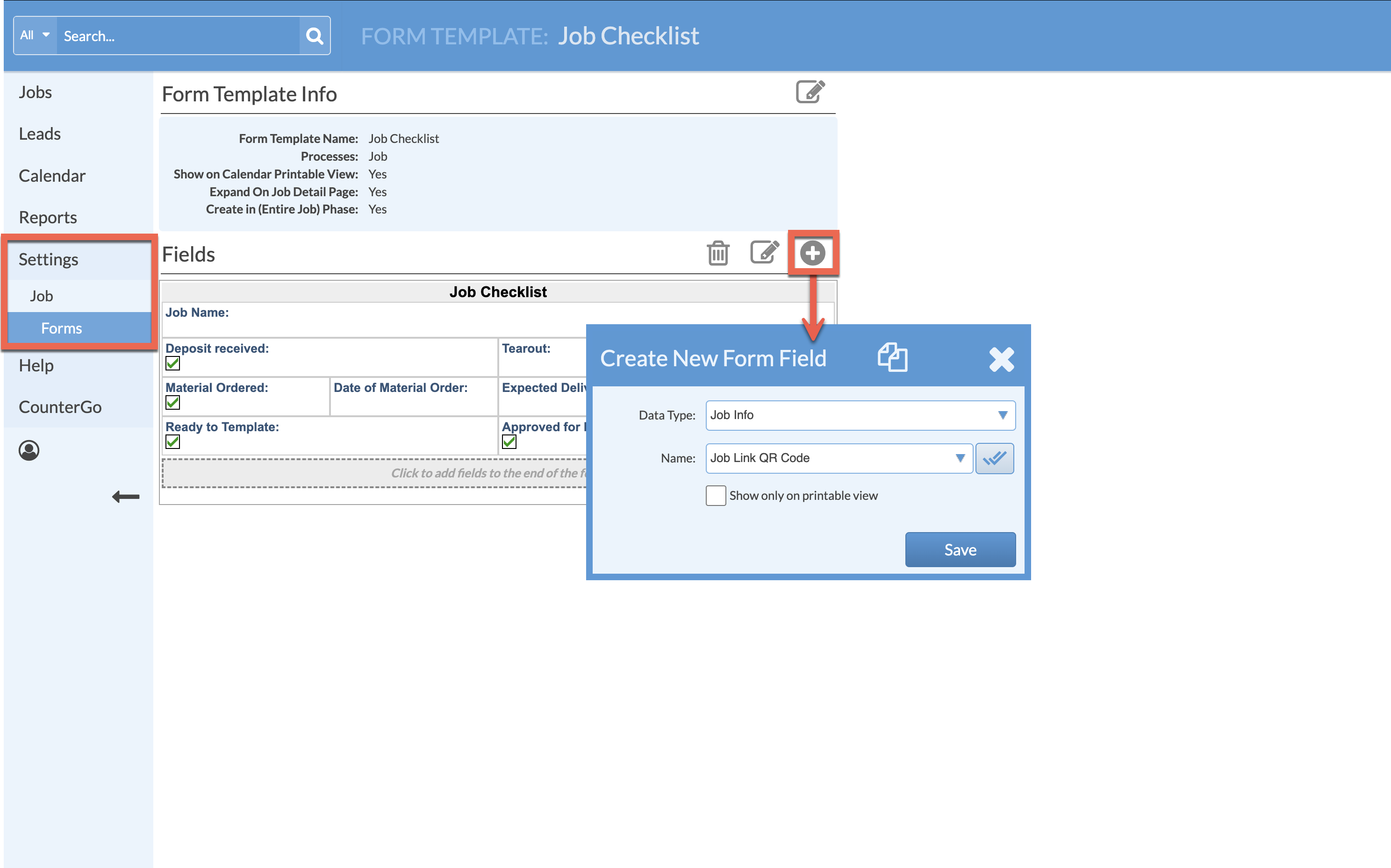
Go to Settings > Job > Job Forms > click on the name of the Form to edit or create a new Form.
-
Click the Add Field icon > select Job Info > select Job Link QR Code > Save.
- Click, hold, and drag to reposition the Field.
- Click once anywhere inside the Field for editing options.