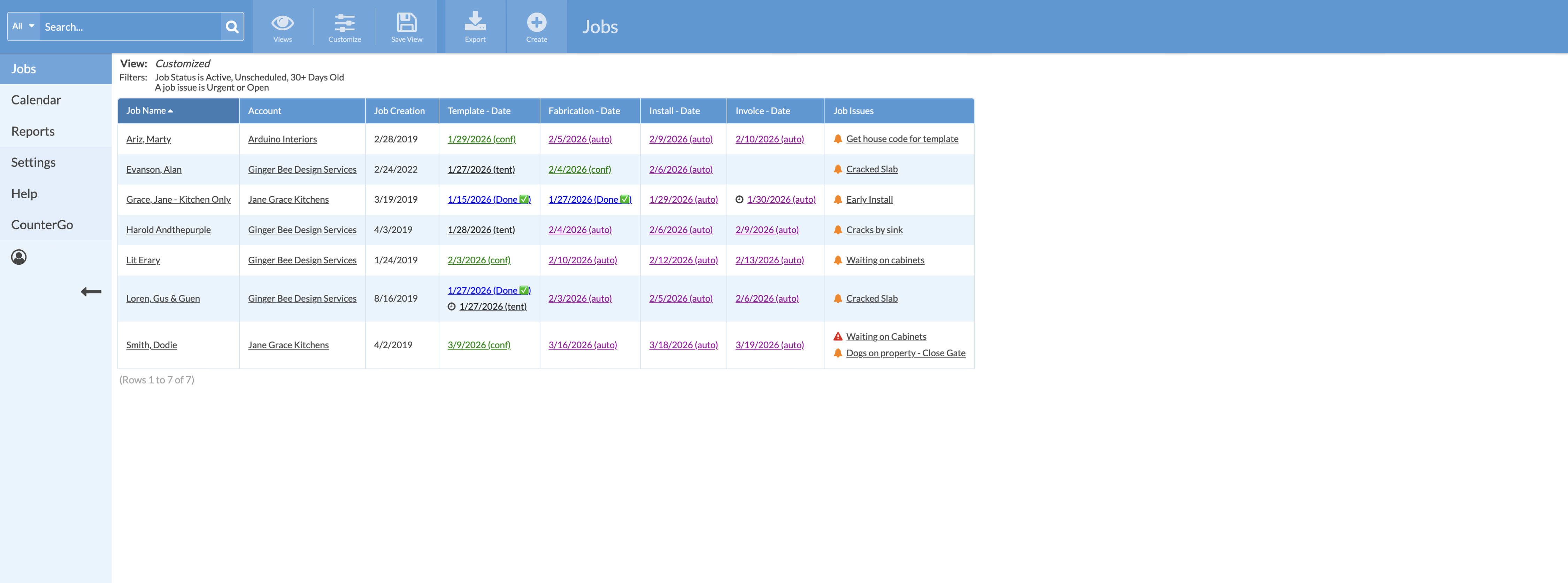
Job Views can be filters by Job issues: Open, Urgent, and Closed. When filtering by Job Issues, Open and Urgent issues are listed and clickable from the View.
For Closed Job Issues, any Job that has a Closed issue is listed, click on the Job Name to open, then scroll to Job Issues to view issues that have the status of Closed.
To quickly access this View again later, be sure to Save it.
- From any Job View click on the Options button > click the Add icon to add a Filters.
- Select Job Issue as the Filter Type > select Urgent, Open, Closed or all three types > Click Save.
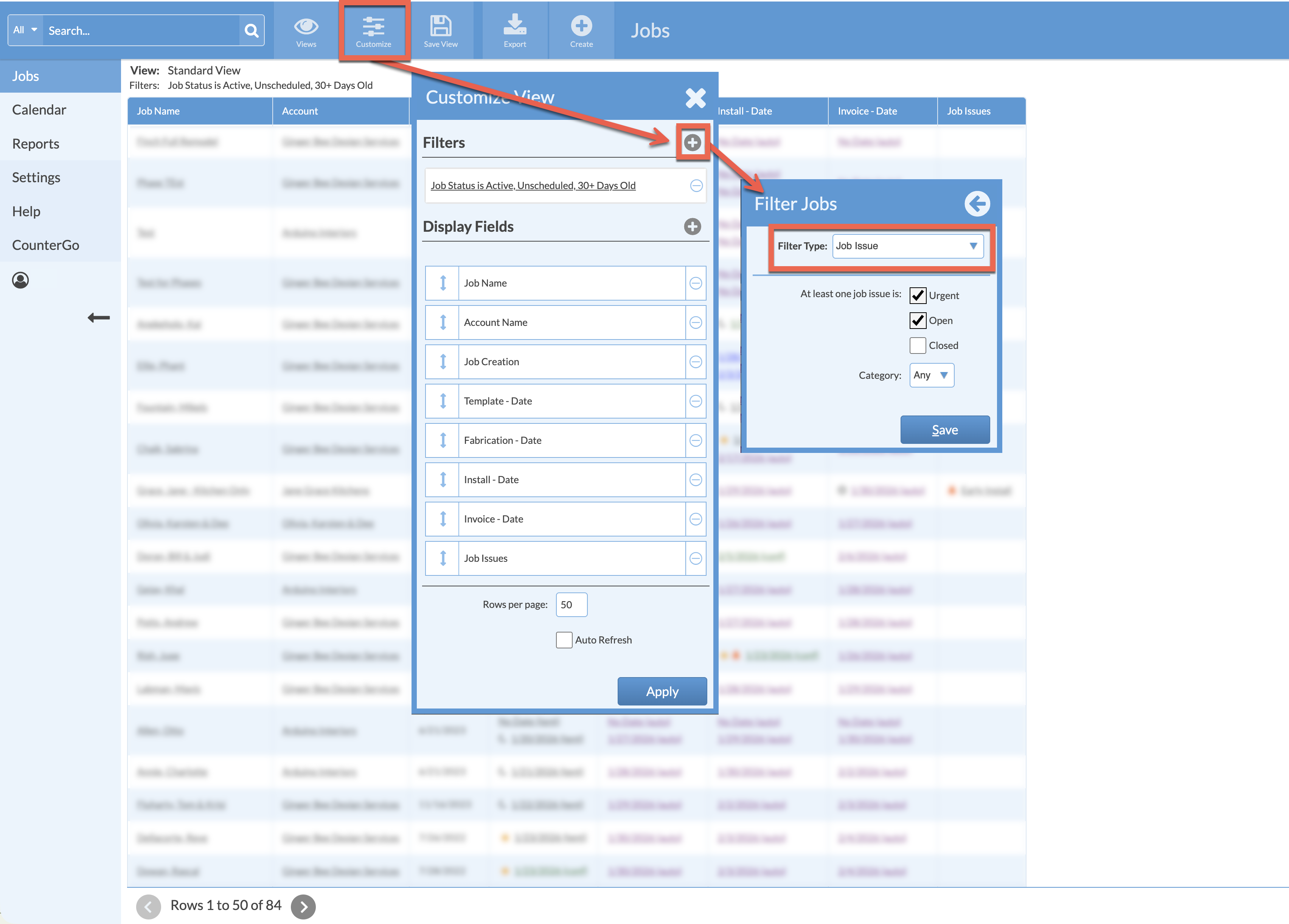
- If you have customized your Job Issue Categories you will have the option to also select one of those categories, using Is/Is Not and then your custom list.