When using an API integrated slab scanner, you may find you have unlinked Slabs from time to time. This can happen for a number of reasons, like Serial Numbers not being found, scanning the Slab before creating an entry for it in Legacy Inventory, or even just a typo when entering information at the scanner or in your database.
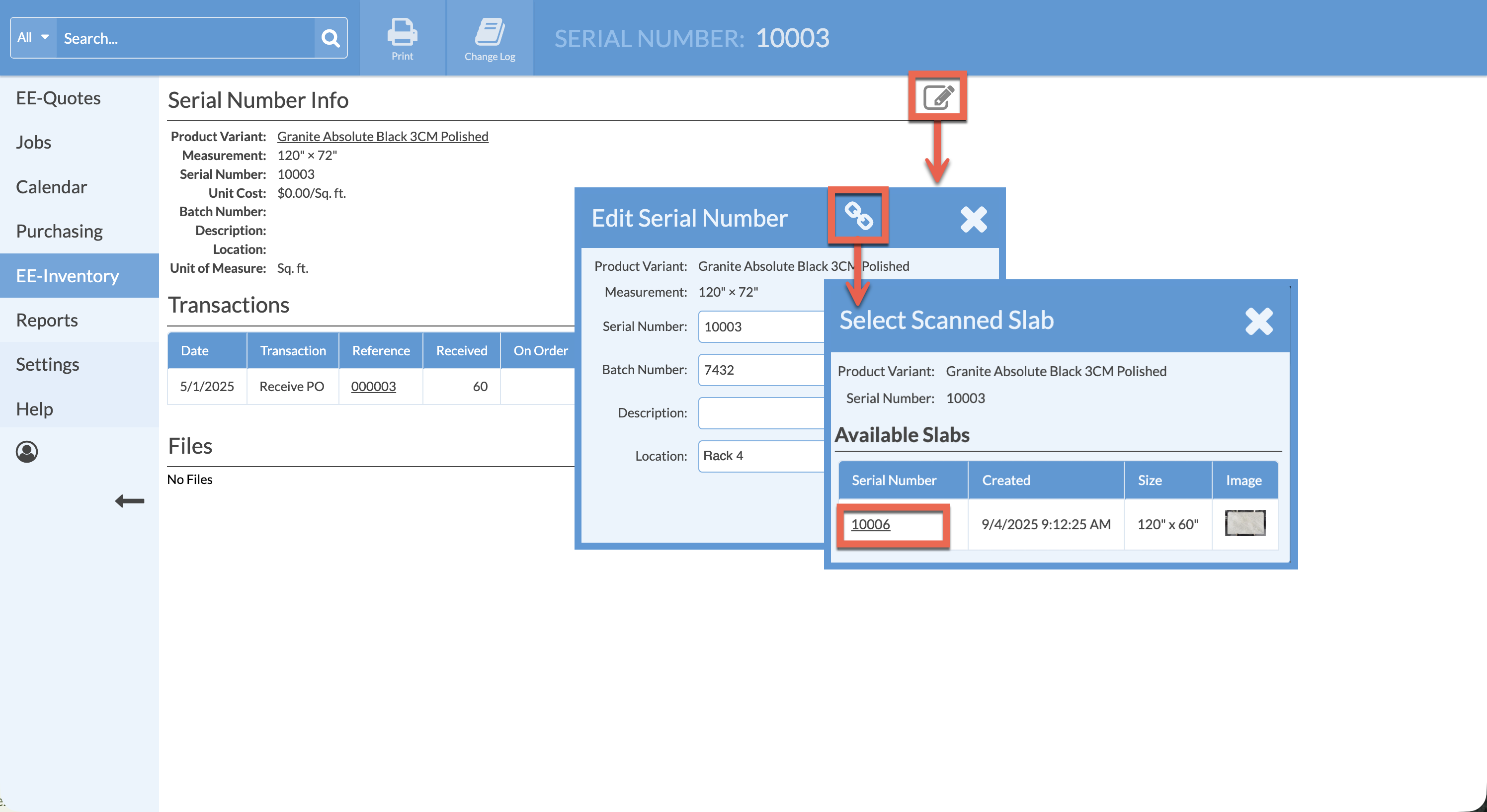
Scanned Slabs can be manually linked if needed.
- From the left side navigation click Inventory > click on the Serial Number of the Slab to link to an image.
- In the Serial Number Info box click the Edit icon.
- Click on the Select Scanned Slab icon at the top. A list of all available unlinked slabs will appear.
- Click on the Serial Number of one of the available options in the list >confirm by clicking Link Serial Number.