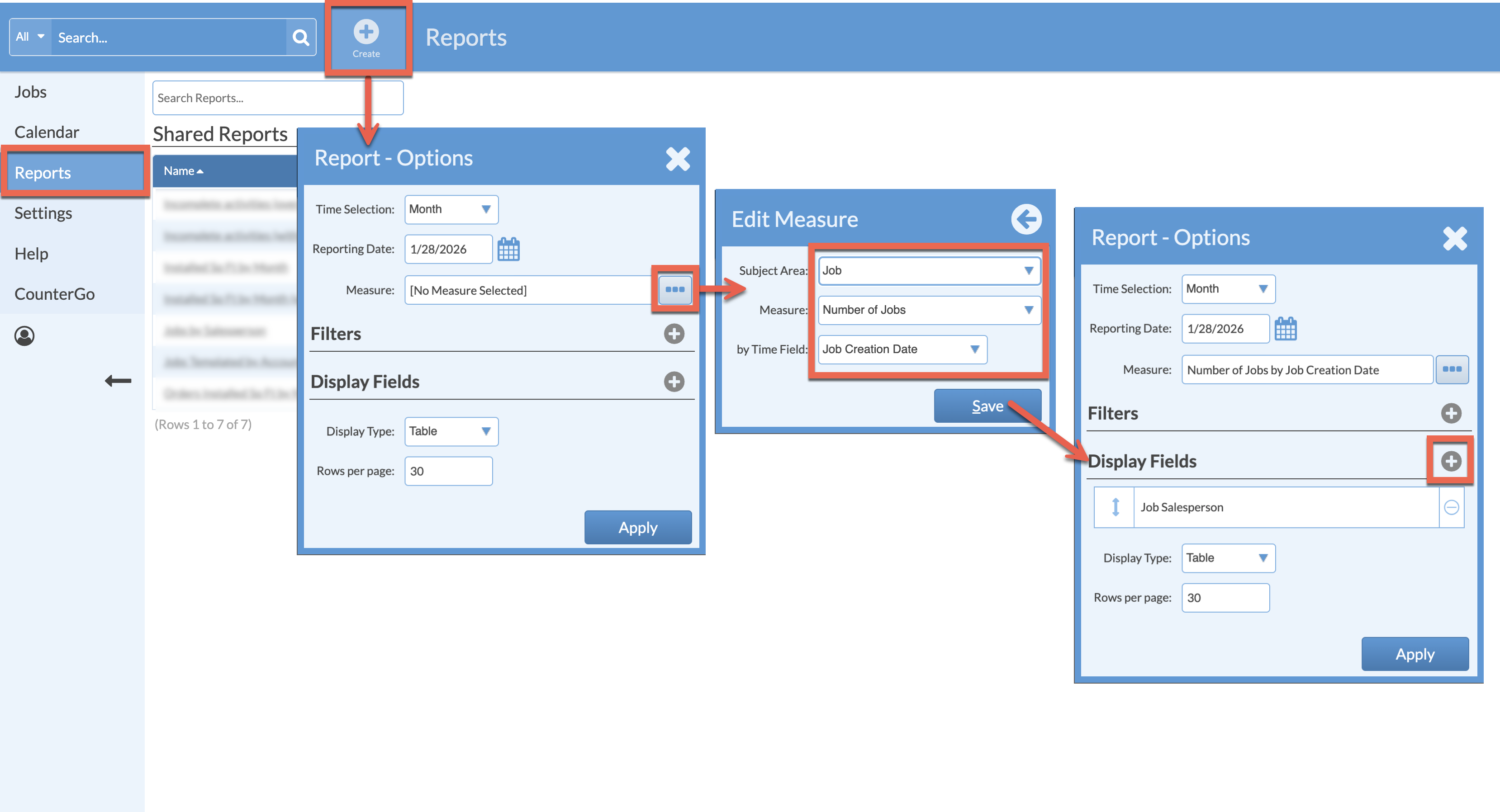
Need to create a Report that shows how many Jobs were created by your Salespeople? This Report displays Jobs, by their Creation Date, and displays the Salesperson.
- Go to Reports > click the Create button from the top navigation.
- Choose the Time Selection and Reporting Date.
- Click the More button to the right of Measure.
- Select Job > Number Of Jobs > Job Creation Date > Save.
- Click Add icon to the right of Display Fields > add Job Salesperson.
- Click Save and Apply.
- Save the Report for quick access later.