
Do you have Assignees who travel to job sites, and they do not start from your shop? If you use the mapping feature in Calendar Views to plan out routes and maximize efficiency, individual start locations for each Assignee can be saved.
Mapped routes will use an Assignee address first if one has been entered. If multiple Assignees are being mapped, each Assignee's route will begin from the saved Assignee Map Start Location.
- Go to Settings > Job > Assignees.
- Click in the Map Start Location column for any Assignee to add their default start address.
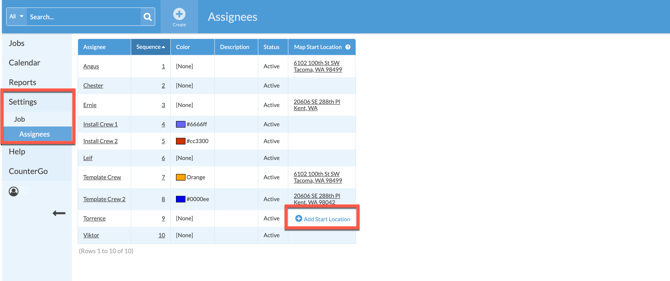
- Click again on any address to edit or delete.
