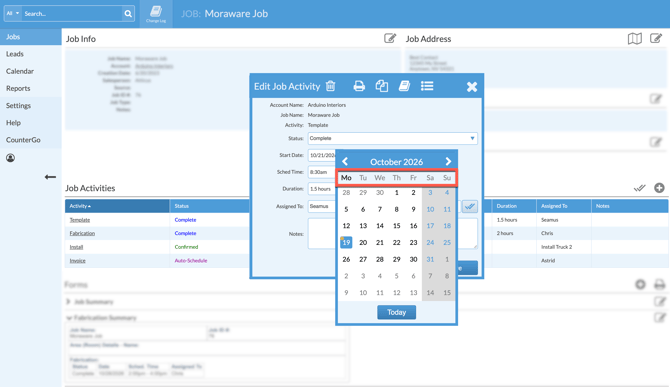
Do you want to change the start date of the pop-up calendar when editing an Appointment or Activity date? The pop-up calendar can be configured to start on any day of the week. This sets a cookie in the browser with a 5-year expiration, so the browser remembers the date you select.
The default start date is Monday.
Using your database in another browser, using private mode, or deleting the cookie will reset the pop-up calendar to the default start date.
- Open any Appointment or Job Activity > click on Start Date.
- Click the column header for any day of the week.
- Click Save.